Random video chat with strangers
Free 1-on-1 video calls with a random stranger. No sign-up, no download. Explicit video is blurred for you, and you can skip anytime. 18+ only.
Free 1-on-1 video calls with a random stranger. No sign-up, no download. Explicit video is blurred for you, and you can skip anytime. 18+ only.
Random video chat
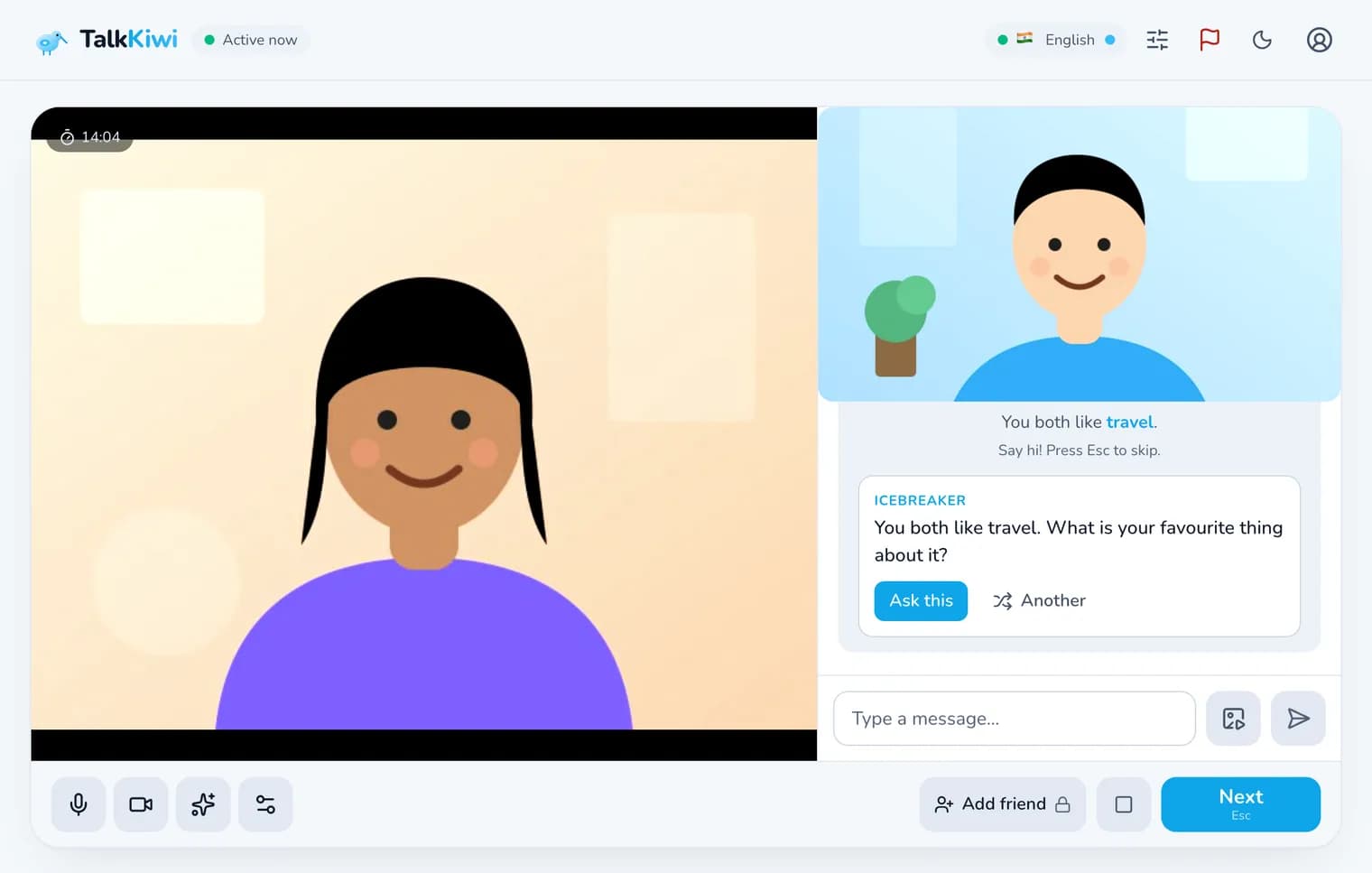
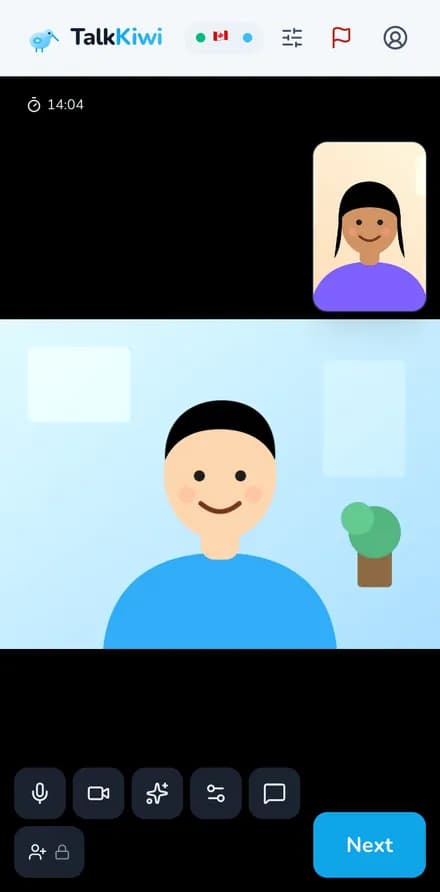
Random video chat puts you face to face with a stranger in one click. TalkKiwi connects you with one random person for a private 1-on-1 video call, right in your browser. Free, no sign-up and no app.
How it works
Starting a video call with a stranger on TalkKiwi takes seconds. No sign-up, no download and no profile to fill in.
Press Start and allow your camera and microphone. Nothing to install and no account needed.
Add a topic like travel, music or gaming to video chat with strangers who share it. Guests can add 1, signed-in users up to 10.
You are on a 1-on-1 video call with a random stranger in seconds. Smile and say hello.
Press Next, Esc twice or swipe left on your phone to meet someone new. Both signed in? Add each other as friends.
Features
Filters, masks, interests and friends: on most stranger cam chat sites the good features cost money. On TalkKiwi every feature is free.
Likely nudity is blurred on your own device before you see it. The check runs in your browser, so no frames leave it.
Video chat with strangers who like what you like. If nobody matches in a few seconds, the search widens.
Sign in free for 8 fun face masks, like cat ears or sunglasses, and 4 colour filters including background blur.
Sign in free to choose gender, country and language. On most cam chat sites these filters are paid.
Swipe left on your phone, press Esc twice or tap Next to meet the next stranger instantly.
When you match on an interest, the chat tells you what you both like, so the first minute is easy.
Type a word, spell a name or send a GIF without leaving the video call.
Messages in the side chat can be translated into your language, so you can video chat with strangers anywhere.
Flip between front and back camera, turn your camera off with V, mute with M and switch devices in one tap.
Made a friend? Signed-in friends can video call each other privately, any time.
Noise suppression and echo cancellation keep calls clear, and a quality dot shows how your connection is doing.
Free video chat in any modern browser on Android, iPhone, tablet or computer. No app to download.
Why video chat
Text is quick and voice is relaxed, but nothing beats seeing who you are talking to.
Seeing a smile and hearing a laugh makes video chat the closest thing to meeting someone in person.
Video chat with strangers in other countries and see a little of their world, without leaving yours.
Face-to-face practice with native speakers is the fastest way to speak a language with confidence.
A good video call with a stranger can turn into a real friendship. Add each other and keep in touch.
Every press of Next is a new face, a new story and a new conversation. Never the same chat twice.
On video you can see the stranger is a real person, not a bot or a script.
About video chat
Random video chat made the internet feel smaller. With one click you could be face to face with someone in another country, hear their story and share a laugh. That idea is still brilliant. What drove many people away from older cam chat sites was everything around it: bots, spam and explicit content that appeared without warning.
TalkKiwi keeps the fun and fixes the problems. Likely nudity is blurred on your own device before you see it, reports go to human moderators with a few frames attached, and rule breakers are banned by account and device. Video connects directly between the two browsers and is never recorded. Everyone must be 18 or older, and reports of anyone who looks younger are reviewed first.
It is also genuinely free. Guests can video chat for 60 minutes a day, and a free sign-in removes the limits and adds face masks, friends and free filters. Whether you want to practise a language, make friends online or just meet new people, free random video chat on TalkKiwi is one click away.
Private video chat
Show your face, not your identity. No account, no real name and no recordings.
No account needed. Strangers never see your real name or email, even if you sign in.
Video and audio go directly between the two browsers. TalkKiwi does not record your calls.
Turn your camera off with one tap or the V key, or switch to voice chat if you prefer.
Signed-in users can hide their country flag from strangers and from their profile.
Safety
Talking to strangers on camera is only fun when it feels safe. On-device blur, human moderators and strict 18+ rules protect every video call.
An on-device check blurs likely explicit video before it reaches your eyes.
Reports reach human moderators with recent messages and a few frames for context.
Video chat on TalkKiwi is for adults only. Reports of anyone who looks younger are reviewed first.
Rule breakers are banned by account and device, so they cannot simply come back.
A quick human check keeps bots and fake webcams out, so you meet real people.
Not comfortable? Swipe, press Esc twice or tap Next and the call ends right away.
Guests cannot send links in the side chat, which stops most spam and scams.
Faces visible, nothing sexual, no harassment. Everyone agrees to the rules before the first video call.
Read the full Community Rules or our guide on staying safe with strangers.
Had a bad experience? Free, confidential support is available at Find A Helpline.
Worldwide
Meet new people face to face from dozens of countries, day and night. Every video call is a small trip somewhere new.
Meet people across India face to face, in English, Hindi or any language you share.
Meet people from every US state, from late-night chats to new friends who share your hobbies.
Meet people in England, Scotland, Wales and Northern Ireland, day or night.
Friendly faces, English practice or simply someone new to talk to.
From Toronto to Vancouver, meet Canadians for a quick, friendly video chat.
Pakistan, Germany, Brazil, Australia and more. Leave it open, or sign in to use the free country filter.
Comparison
Video chat sites differ a lot in price, features and safety. This is how TalkKiwi compares with what most cam chat sites offer.
Price
Free, every feature
Others: Free basics, filters often paid
Sign-up
Not needed
Others: Varies
Explicit video blurred for you
On your device
Others: Rare
Gender and country filter
Free with an account
Others: Usually paid
Interest matching
Yes, widens automatically
Others: Varies
Face masks and filters
Free with an account
Others: Some sites
Calls recorded
Never
Others: Often unclear
Human moderation
Reports reviewed by people
Others: Varies
Voice and text chat too
Separate queue for each
Others: Mostly video only
Private calls with friends
Yes, both must agree
Others: Some sites
App download
Not needed, runs in the browser
Others: Often pushed to an app
| Feature | TalkKiwi video chat | Typical video chat sites |
|---|---|---|
| Price | Free, every feature | Free basics, filters often paid |
| Sign-up | Not needed | Varies |
| Explicit video blurred for you | On your device | Rare |
| Gender and country filter | Free with an account | Usually paid |
| Interest matching | Yes, widens automatically | Varies |
| Face masks and filters | Free with an account | Some sites |
| Calls recorded | Never | Often unclear |
| Human moderation | Reports reviewed by people | Varies |
| Voice and text chat too | Separate queue for each | Mostly video only |
| Private calls with friends | Yes, both must agree | Some sites |
| App download | Not needed, runs in the browser | Often pushed to an app |
“Typical video chat sites” describes common patterns across popular sites and apps; individual sites differ.
Tips
A few simple habits make video chat with strangers more fun and keep you safe.
Sit facing a window or lamp. The rules ask everyone to keep their face visible.
Headphones stop echo and make the video call easier to hear for both of you.
Strangers skip a blank screen. A smile and a quick hello start most good video chats.
Ask what, why and how instead of yes-or-no questions, and the stranger will have more to say.
Never show or say your full name, address, school, workplace or social media.
If someone breaks the rules, skip and report them. Moderators will handle it.
Want more? Read our video chat tips or try 60 questions to ask strangers.
More ways to chat
Video is just one way to chat. Switch to voice or text, join a chat room, or try spy mode, all free.
FAQ
Everything you might want to know about free random video chat with strangers on TalkKiwi.
Random video chat connects you with a random stranger for a live, 1-on-1 video call. On TalkKiwi it runs in your browser and you can skip to someone new whenever you like.
Yes. Video chat is free for everyone. Guests get 60 minutes a day, up to 15 minutes per call, and a free sign-in makes it unlimited. There is no paid plan.
No. Press Start, allow your camera and you are matched in seconds. Signing in is optional and removes the time limits and adds masks, filters and friends.
Yes. TalkKiwi works in any modern browser on Android, iPhone, tablets and computers. Swipe left on the video to skip.
The idea is the same: a random 1-on-1 video chat with a stranger. TalkKiwi adds on-device blur of explicit video, free filters, interest matching and human moderation. Omegle closed in 2023.
Add interests to meet people who share them. Signed-in users can also filter by gender, country and language for free.
Tap Next, press Esc twice on a keyboard or swipe left on your phone. You are matched with someone new in seconds.
Signed-in users can add 8 face masks and 4 colour filters, drawn live in the browser. Masks never cover your face, because the rules ask everyone to stay visible.
Allow camera access when your browser asks. If you blocked it earlier, click the lock icon in the address bar to allow it, and close other apps that may be using the camera.
Yes. If you are both signed in and both press Add friend, you become friends and can video call each other privately.
No. Video and audio connect directly between the two browsers and are never recorded. Only if someone reports a chat are a few still frames attached for moderators.
A check runs on your own device and blurs likely nudity in the stranger’s video before you see it. Reports and human moderators handle the rest.
TalkKiwi blurs explicit video, keeps bots out with a human check, has real moderators and bans rule breakers by account and device. Stay safe by keeping personal details off camera and skipping anyone who makes you uncomfortable.
Skip right away, then use the Report button. Reports are reviewed by real people, and rule breakers are banned.
Video chat with strangers is designed for adults. Everyone must be 18 or older, and reports of anyone who looks younger are reviewed first.
Free, face-to-face chat with strangers, one click away. No sign-up, no download, just say hi.
18+ only · By chatting you agree to the Community Rules and Terms